Tracefold
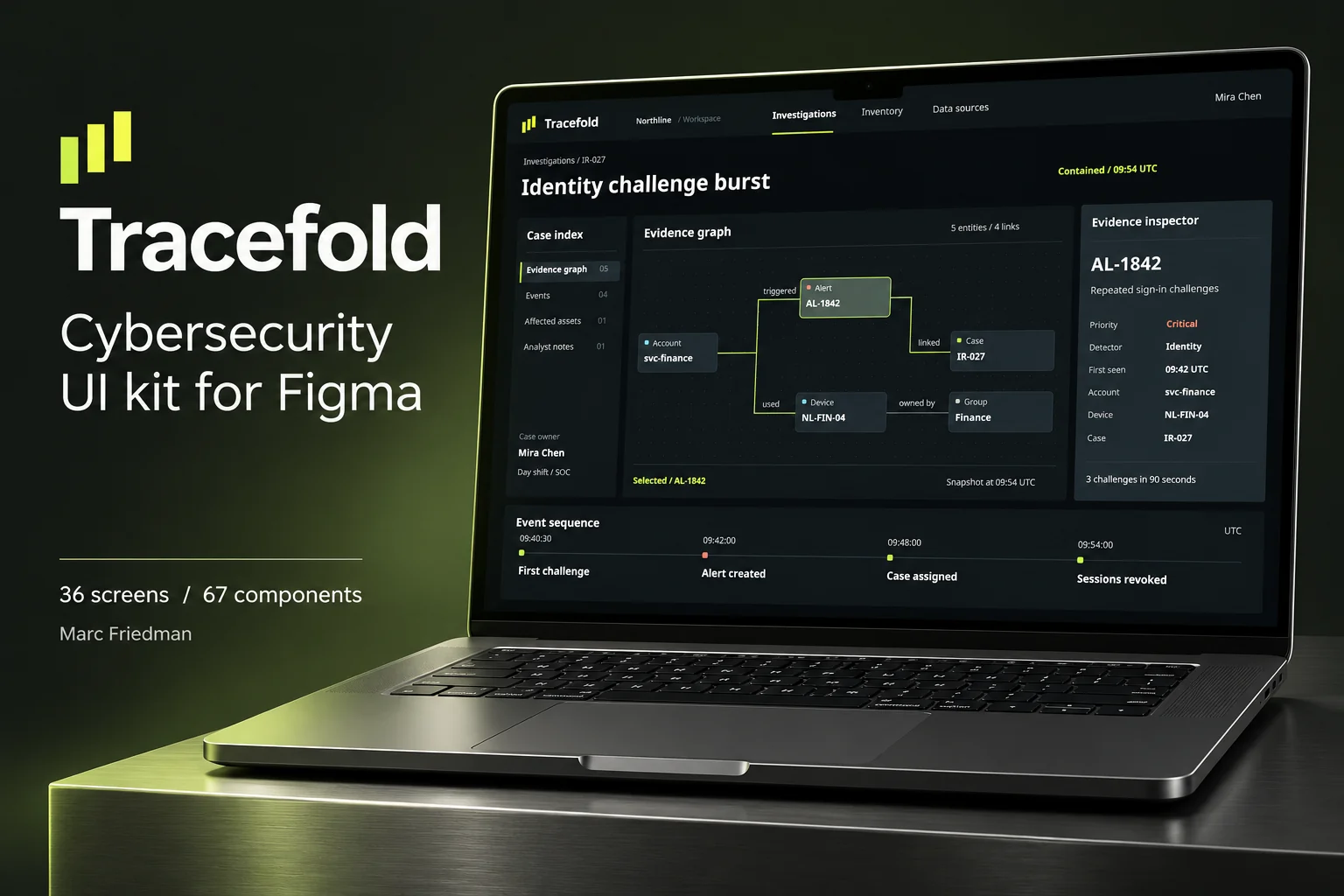
A cybersecurity UI kit for Figma that follows two fictional investigations from the first alert to the decision to close a case.
Buy Tracefold on Gumroad- Client
- Tracefold
- Industry
- Cybersecurity
- Engagement
- Independent studio product
- Project page
- marcdesigns25.gumroad.com/l/tracefold
Overview
An alert tells an analyst where to start. Before closing the case, they need to know which account and device were involved, who approved the response and whether the evidence covers the whole observation window. I built Tracefold around those decisions.
Before drawing anything I asked what a security kit is worth to the designer who buys it. Charts and tables are easy to find. The part a designer has to work out alone is how an investigation moves from one decision to the next, so that became the product.
What wasn't working
- 01
Which account and device were involved?
- 02
Who approved the response?
- 03
Does the evidence cover the whole observation window?
Goals
"A good-looking SOC kit" can't be checked, so I kept asking why until each goal could be counted or tested on a screen.
What done means
- 01
Two investigations run from alert to closure
Each case can be followed screen by screen, with no step that only exists in a designer's head. Both are complete across 22 desktop and 14 mobile screens.
- 02
The evidence stays on screen at every decision
Account, device and case remain visible while the analyst works. Nothing needed for a decision sits on a different page.
- 03
Every screen comes from shared parts
All 36 screens are assembled from 67 component masters, with colours and type stored as JSON design tokens a developer can read.
Where it fits
Designers on security products already work in Figma and hand off to developers. Tracefold has to sit inside that routine, so it ships as editable Figma screens, component masters and tokens, and asks for no new tool.
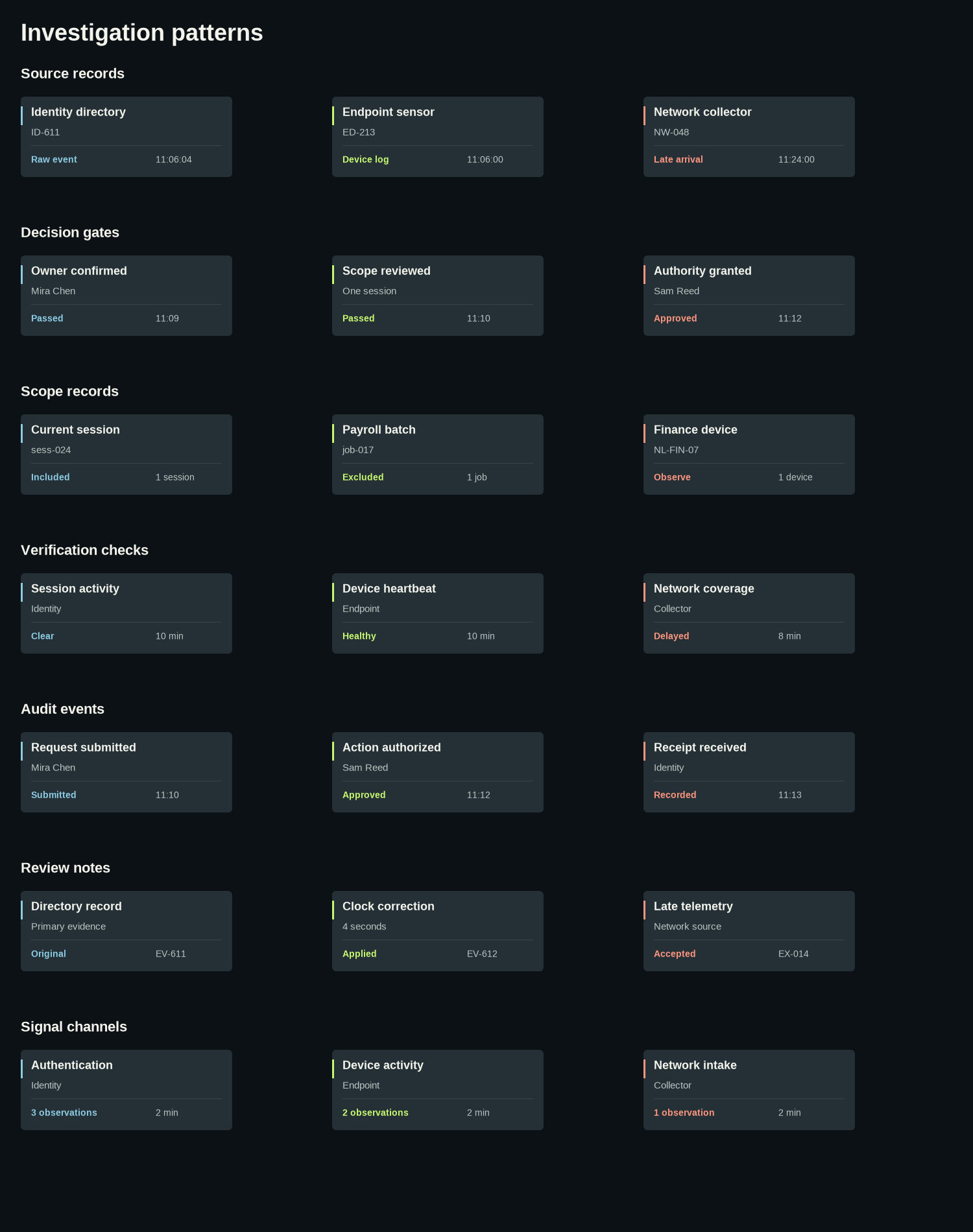
The analyst it depicts also lives between systems: a directory, an endpoint agent, a network sensor. The screens show those sources side by side, which is why the record comparison and the telemetry gap get their own views.
Scope
The scope was set around the two cases the kit walks through.
In scope
- 01
Identity alert through a relationship graph
- 02
Payroll session through approval, containment and a telemetry review
- 03
Mobile triage for the reviewer who approves the response
- 04
The component library and tokens behind every screen
What I built
I designed two sample cases. The first follows an identity alert through a relationship graph. The second follows a payroll session through approval, containment and a review of missing telemetry.
- 01
Keep the evidence in view
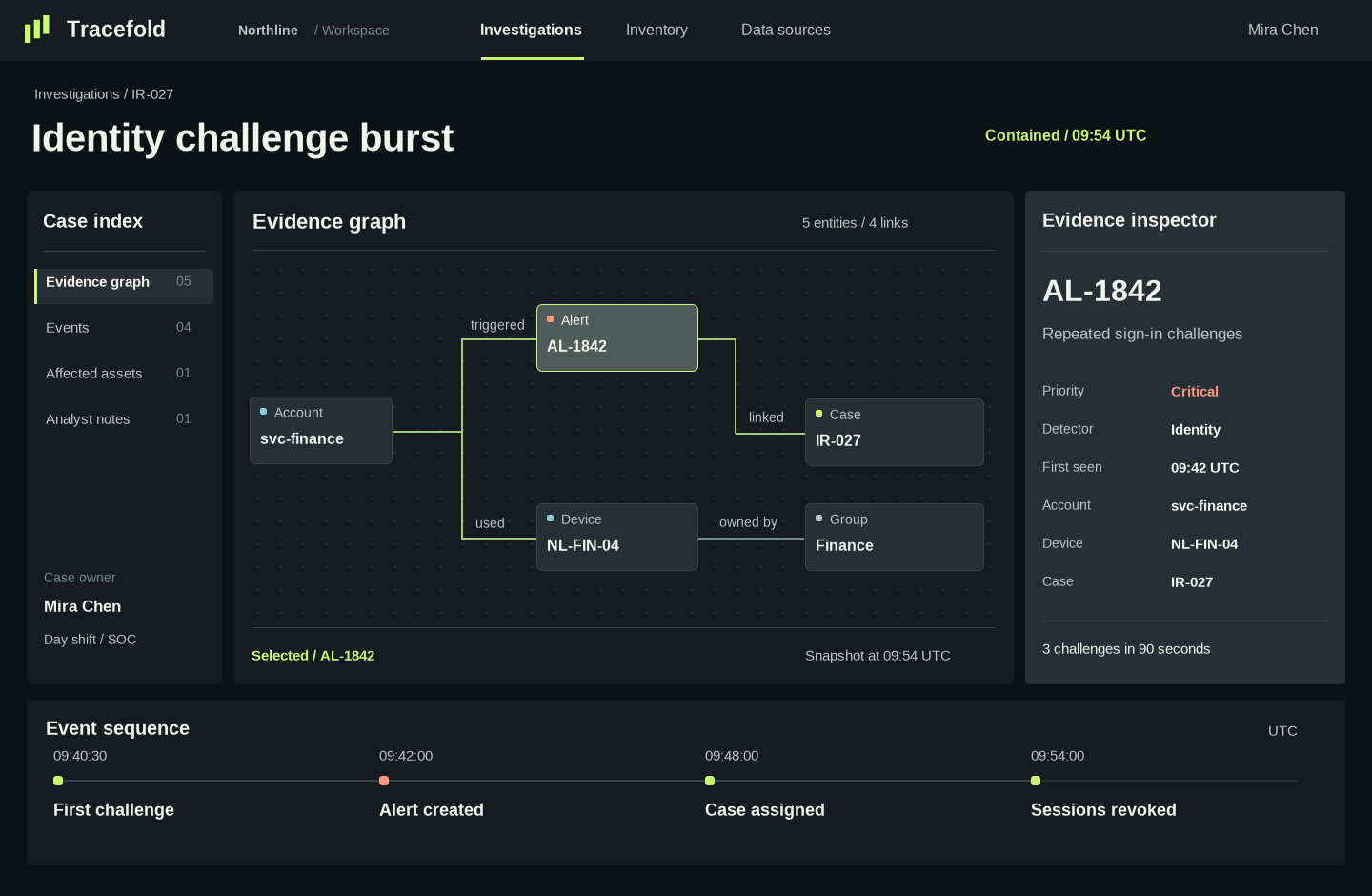
Selecting alert AL-1842 puts its details beside the graph. The account, device and case remain visible while a timeline shows when the team revoked the sessions.
- 02
Explain why two timestamps differ
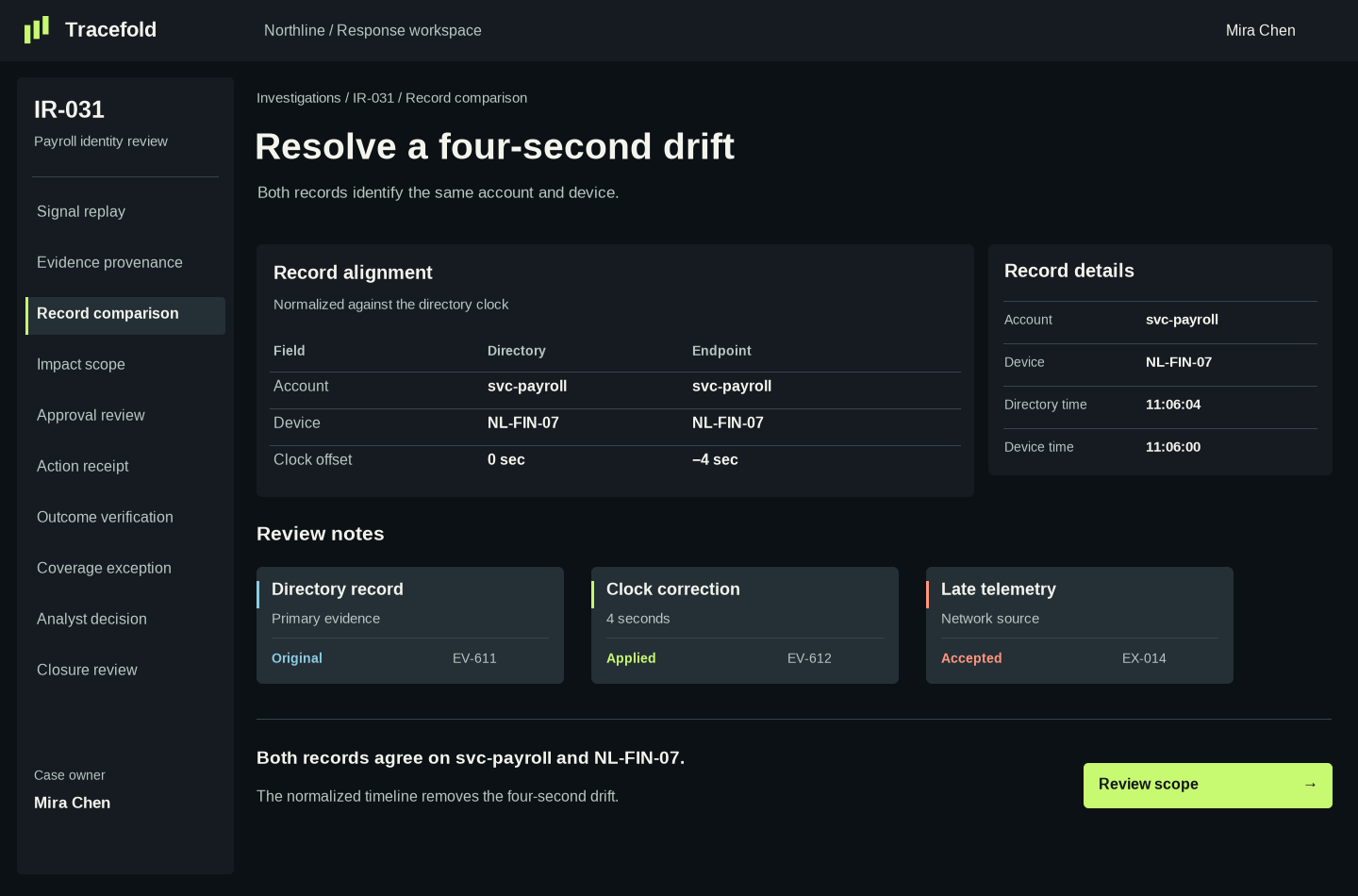
The directory and endpoint record the same account and device four seconds apart. A comparison view preserves both source times so the analyst can reconcile the events.
- 03
Make a narrow approval legible on mobile
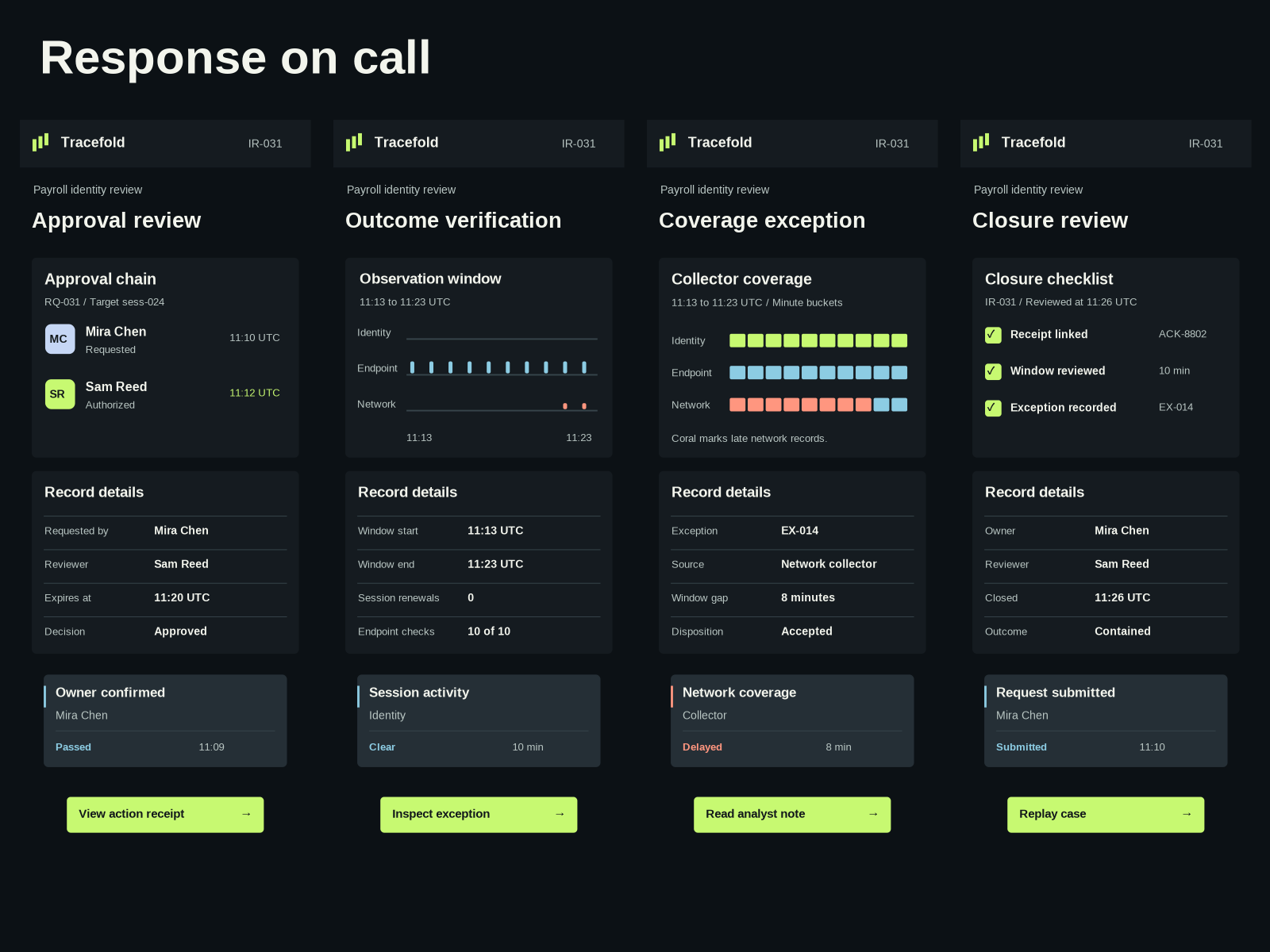
The reviewer can see which session is in scope and which payroll job stays active. At closure, a separate record explains the eight-minute gap in network evidence.
Validation
I checked the finished screens against the three questions from the overview. Each one has a place in the kit where it gets answered.
Checked against the opening questions
- 01
Which account and device?
Alert AL-1842 opens beside the evidence graph, and the directory and endpoint records are compared with both source times kept.
- 02
Who approved the response?
The mobile reviewer sees which session is in scope and which payroll job stays active before approving.
- 03
Does the evidence cover the window?
At closure, a separate record explains the eight-minute gap in network evidence instead of hiding it.
Tech stack