Relay
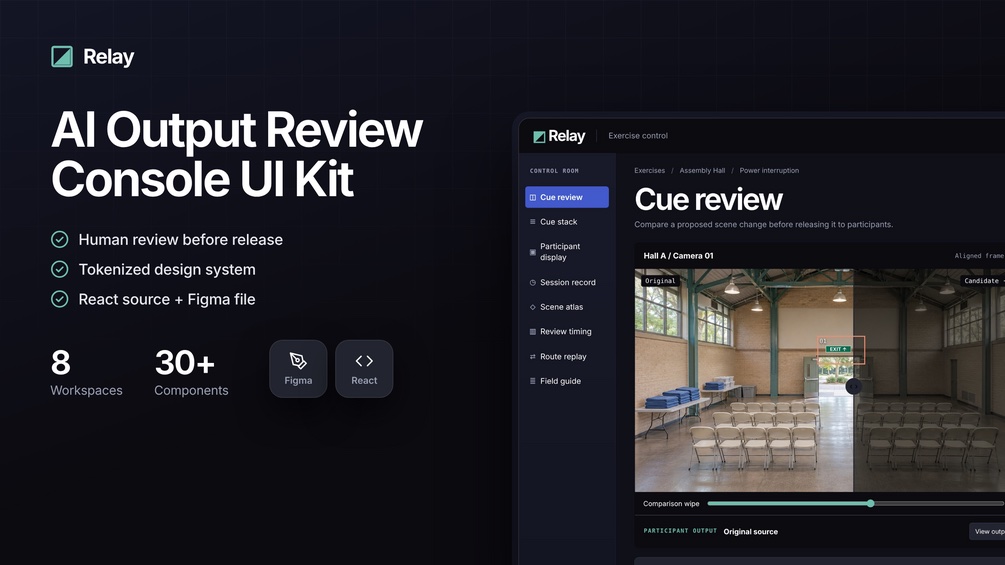
A dark control-room kit for products that put AI-generated media in front of people. The model proposes a change, an operator checks it against the original, and nothing reaches the audience until a person releases it.
Buy Relay on Gumroad- Client
- Relay
- Industry
- AI Review Console
- Engagement
- UI Kit · React + Figma
- Project page
- marcdesigns25.gumroad.com/l/relay
Overview
Real-time AI models can now relight a room, restyle a video or rewrite an image while people are watching. The risk sits in the details. A generated frame can look right and still drop the one thing that mattered.
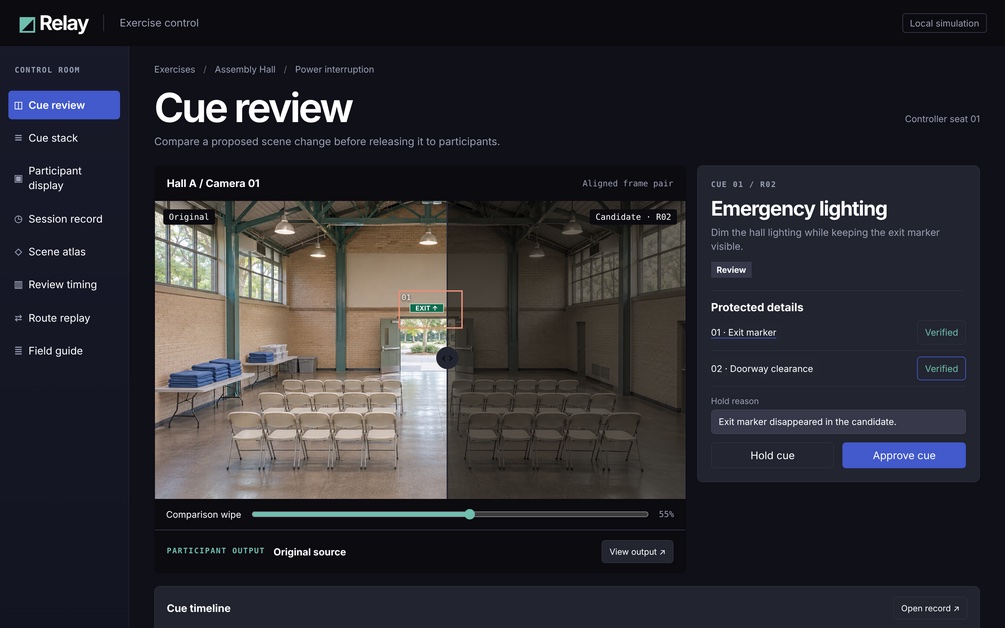
The demo case is a municipal evacuation drill. An AI video model relights a training hall for an emergency scenario, and the controller has to confirm the exit sign is still visible before participants see the new scene. In the first candidate, it isn't.
So the value to aim for was clear. The console has to make it easy to catch a missing detail, impossible to release an unchecked revision, and safe when the connection drops.
What wasn't working
- 01
Generated output that looks right but loses a critical detail
- 02
Approval and release treated as one click
- 03
No record of who approved which revision, and when
- 04
A dropped connection leaving the audience on an unchecked frame
Goals
“Safe AI review” can't be tested, so each goal was rewritten as a rule the interface either enforces or doesn't.
What done means
- 01
Approval belongs to one revision
Staging a new revision resets every check. An approval never carries over to a candidate the operator hasn’t seen.
- 02
Approving and releasing are separate steps
Approving changes a chip. Only releasing changes what participants see.
- 03
A dropped connection restores the original
Losing the preview holds the candidate, clears verification and puts the original back on display.
- 04
Status never depends on colour alone
Teal and coral always come with a word. White on Signal Blue reaches 5.9:1, and Verified Teal 7.1:1 on the panels.
Where it fits
The same screens fit generative video and image tools, live broadcast control, content moderation queues and any product where AI proposes and a person approves.
The teams building those products work in React and Figma, so Relay ships as a React 19 app with no runtime dependency beyond React, a Figma file with component sets and a prototype, and tokens in W3C format for Tokens Studio or Style Dictionary. The review rules live in their own tested state machine, so they can move to a server unchanged.
Scope
The scope was eight workspaces around one reference case: hold the candidate that lost the exit sign, approve the corrected revision, release it, then survive an interruption.
In scope
- 01
Cue review, cue stack and participant display
- 02
Session record with filters and JSON export
- 03
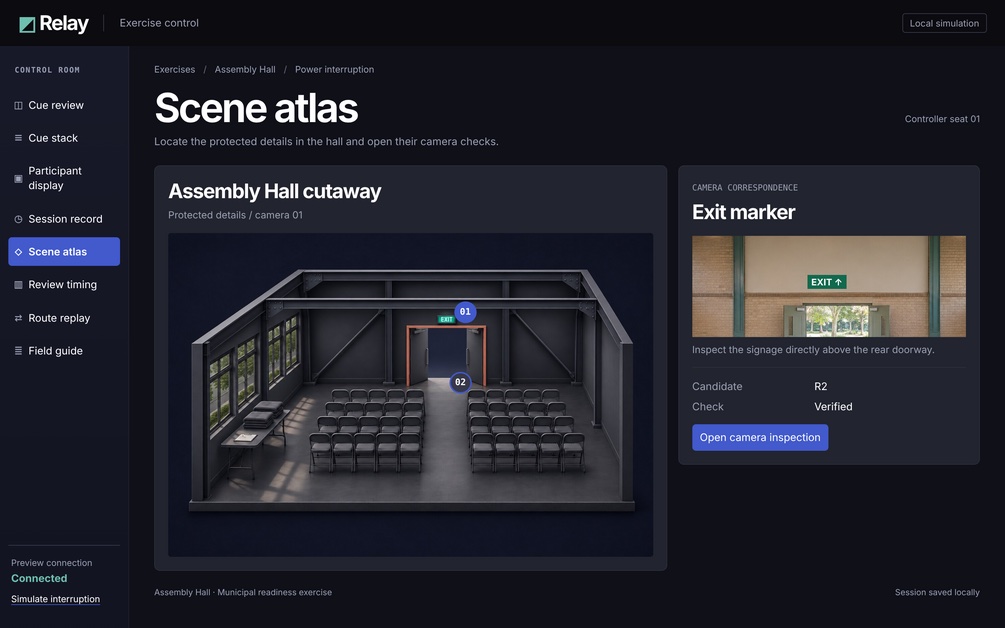
Scene atlas, a 3D cutaway linked to each camera check
- 04
Review timing and route replay
- 05
Design system page, six guides and an eight-chapter field guide
What I built
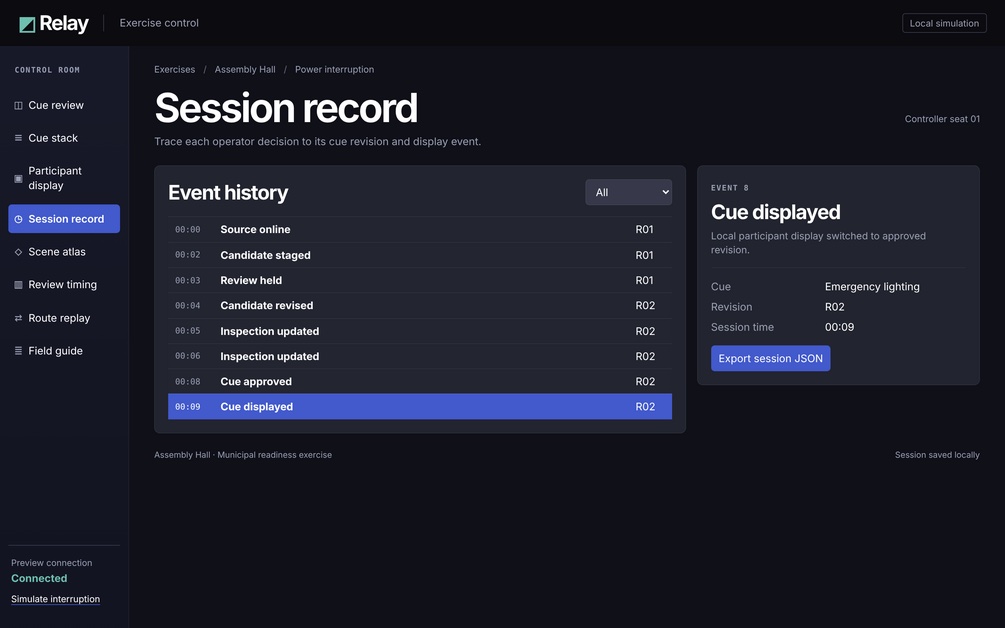
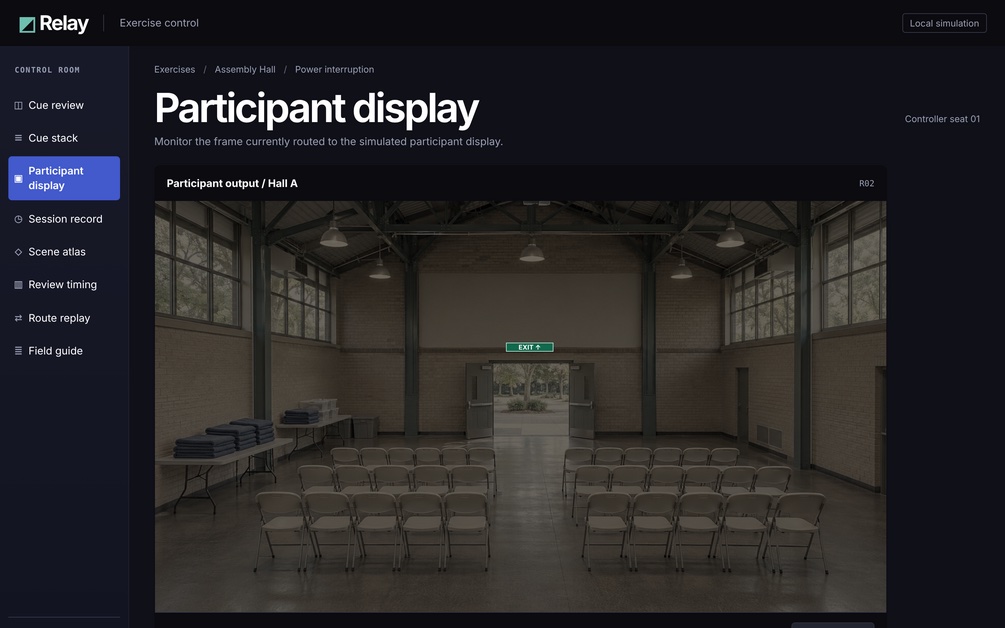
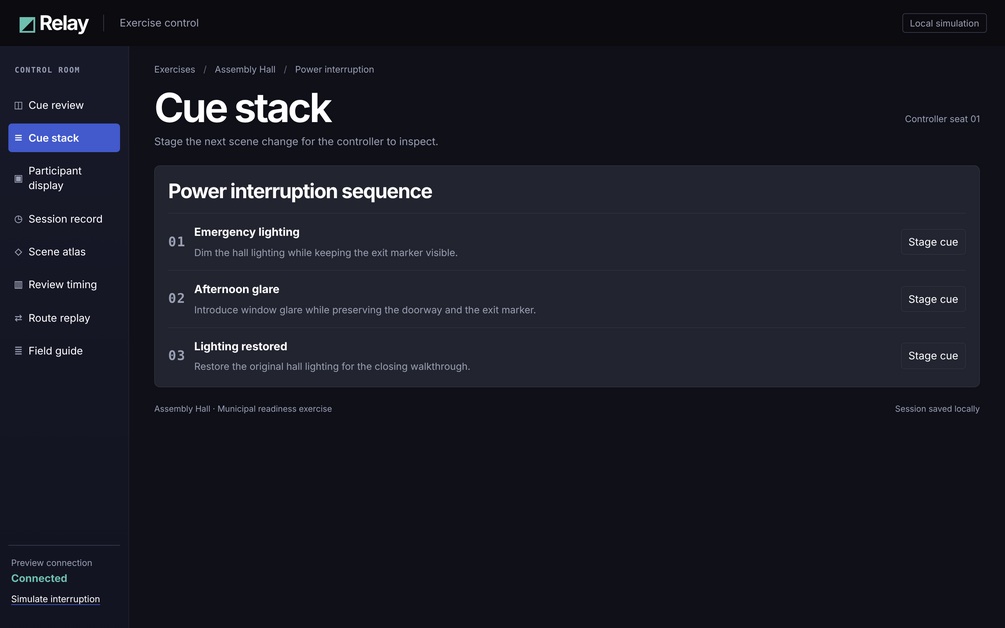
Eight workspaces follow one change from proposal to release. Drag a split wipe across the original and the candidate, verify each protected detail, hold or approve the current revision, then release it to the participant display. Every action lands in the session record.
The visual rules keep the stakes readable. Signal Blue marks selection and what's on air, teal means verified or connected, coral means missing or interrupted, and every screen that can change the output shows what the audience is seeing.
- 01
Cue review
A split wipe between original and AI candidate, a checklist of protected details, hold with a reason, approve one revision.
- 02
Participant display and session record
Exactly what the audience sees, one click back to the original, and every operator action with time, revision and detail.
- 03
Scene atlas, timing and replay
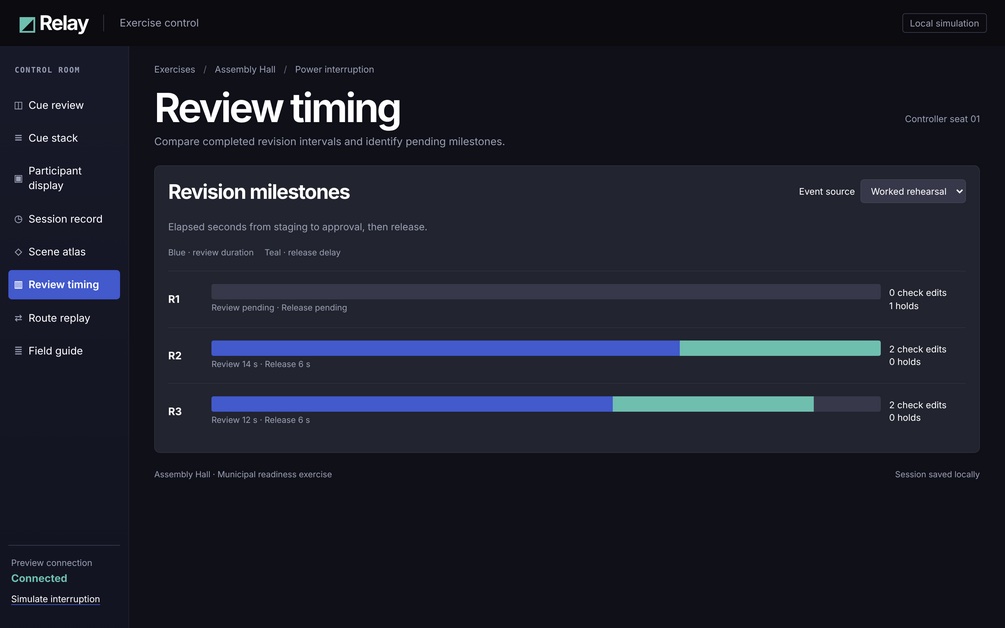
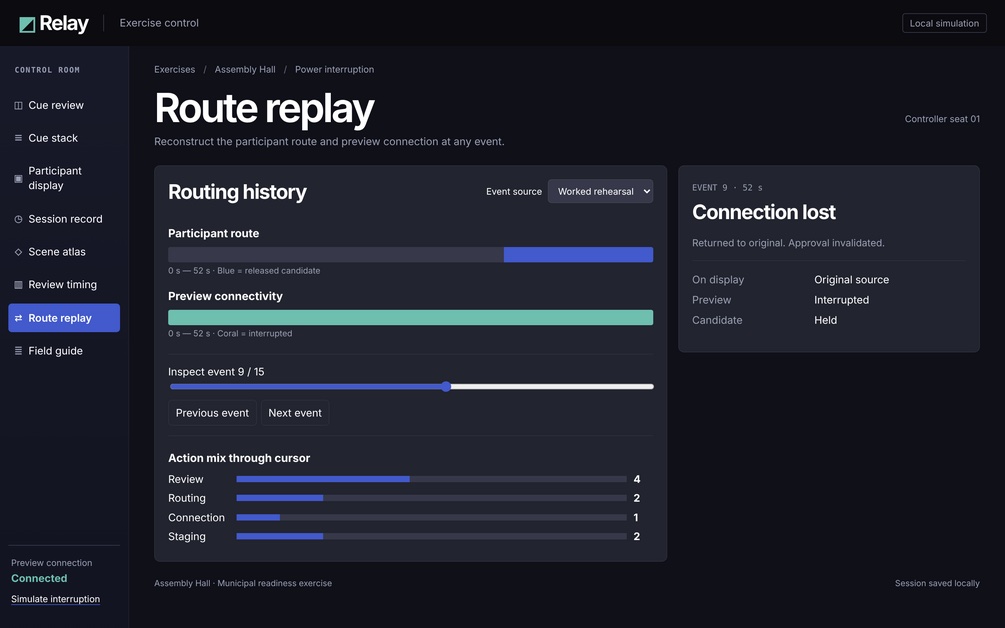
A 3D cutaway with pins for each protected detail, per-revision time to approve and release, and a scrubber that rebuilds what was on air at each event.
- 04
One token set everywhere
19 colours, 8 type styles, radius and spacing live in one CSS file and one W3C tokens file. The design system page shows live contrast ratios.
Validation
The review rules are covered by Node tests, and a worked rehearsal record replays the reference case step by step.
Checked against the goals
- 01
Can a missing detail get through?
The first candidate fails its Exit marker check, and the cue can only be held, with a reason, until a corrected revision is verified.
- 02
Does approval reach the audience on its own?
No. After approval the original stays on air until the operator releases. In the rehearsal, revision R2 takes 14 s to approve and 6 s more to release.
- 03
What happens when the connection drops?
Simulate interruption puts the original back on display and clears the approval. Reconnecting leaves it there until the cue is reviewed and released again.
Tech stack